Dispatch Board Options Trade Business: Paper to ERP by Team Size

Meric Karpat · Founder & CEO
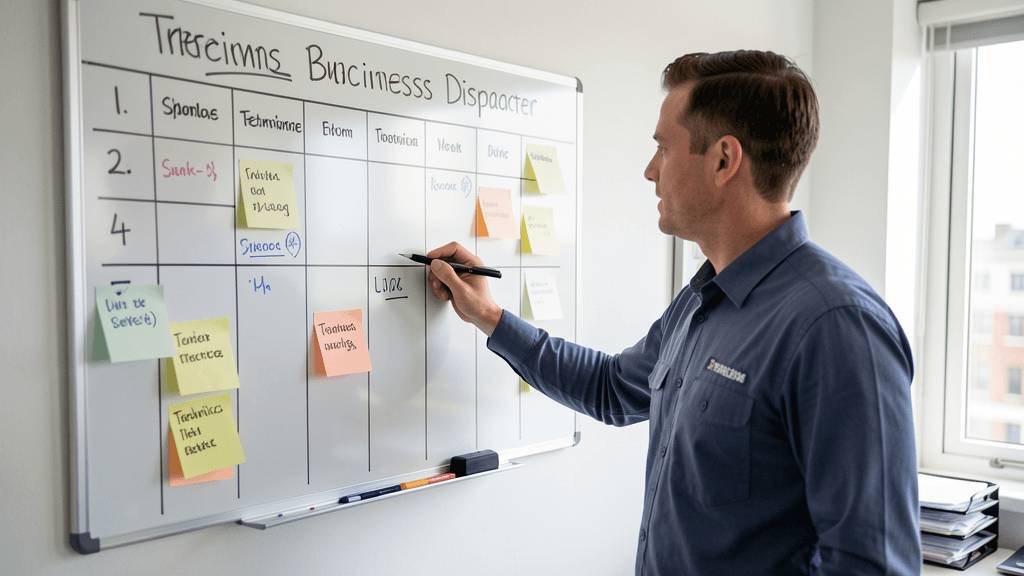
When comparing dispatch board options trade business owners face, start with a simple scenario. Monday morning, your dispatcher (which is you) writes five jobs on the whiteboard: two drain cleans, a water heater swap, a re-pipe estimate, and an emergency callback from Sunday. By 11 AM, the water heater job is running long, the estimate got pushed to Thursday, and a new emergency call just came in. You erase, rewrite, call tech 2 on his cell, and hope nobody shows up at the wrong address. If this sounds familiar, you are not alone. The National Federation of Independent Business reports that 76% of small trade businesses still rely on manual scheduling methods, and dispatch errors cost the average small shop $200-$600 per month in wasted truck rolls and reschedules. Your decision comes down to matching the tool to your team size, your call volume, and how much pain your current system is already causing.
This post compares four real dispatch board options trade business owners use today: paper and whiteboard, shared digital calendars, dedicated field service software, and full ERP platforms. For each, we break down what it costs, who it fits, and when to move up.
What dispatch board options trade business owners should compare first

Before looking at software, decide what your dispatch board actually needs to do. For most home-service trades (plumbing, HVAC, electrical, roofing, locksmith, tree service), a dispatch board handles four things:
1. Job assignment: matching the right tech to the right job based on skill, location, and urgency. A solo operator does this in his head. A four-tech shop needs visible status for everyone.
2. Status tracking: knowing whether a job is en route, in progress, waiting on parts, or done. Without this, you are calling each tech twice a day to ask where they are.
3. Schedule changes: handling emergency calls, weather delays, and add-ons without erasing the whole board and starting over.
4. Customer communication: telling the homeowner when the tech will arrive, sending reminders, and updating them when schedules shift. According to a 2025 report by Software Advice, 68% of homeowners expect a arrival window notification, and 41% will cancel a job if they cannot reach the business to confirm timing.
If your current method handles all four, you may not need to change anything. If it handles one or two and the rest is chaos, the sections below will help you pick the next step.
Paper and whiteboard: when the $0 dispatch board still works
A wall-mounted whiteboard with magnetic name strips is still the most common dispatch board in home-service trades under $300K in annual revenue. It costs $40 at an office supply store and has zero learning curve. For a solo operator or a two-tech shop doing 15-25 jobs a week, it works.
Where the whiteboard breaks down
The whiteboard fails at three thresholds. First, when you add a third or fourth tech: the board gets crowded, and status updates lag because nobody walks back to erase and rewrite during a busy day. Second, when you take emergency calls after leaving the office: you cannot update a whiteboard from a job site. Third, when a customer calls to reschedule: you have to call the tech, confirm the slot, erase the board, and call the customer back. That is three phone calls for one change.
The real cost of a whiteboard is not the board. It is the hidden cost of errors. A trade business doing 20 jobs a week with one scheduling mistake per week (wrong address, double-booked slot, forgotten callback) loses $200-$400 in wasted drive time and rescheduled work. Over a year, that is $10,000-$20,000, which is more than most software options cost.
Shared calendar and spreadsheet: the $0-to-$30/mo middle ground
Google Calendar, Apple Calendar, and a shared Google Sheet are the next step up. They are free or nearly free, sync to every phone, and let a two or three person team see the schedule from the field. A shared Google Sheet with one row per job (date, customer, address, tech, status, notes) handles 30-50 jobs a week without much trouble.
The limitation is that a spreadsheet is not a dispatch board. It does not show you a visual calendar with tech routes. It does not send customer reminders automatically. And when two people edit the same row at the same time, you get version conflicts. For a shop doing $200K-$500K with a part-time dispatcher or an owner-operator who handles scheduling between jobs, this is often good enough.
The upgrade trigger
You know it is time to move past a shared calendar when you start doing any of these things manually: texting customers arrival windows, calling techs for status updates more than twice a day, or losing track of which jobs are waiting on parts versus which are done. At that point, the 30-60 minutes a day you spend on scheduling overhead is costing you more than a software subscription.
Field service software: what $50-$300/mo actually buys you
This is where most trade businesses land. Platforms like Jobber, Housecall Pro, ServiceTitan, Service Fusion, and FieldEdge are purpose-built dispatch boards for home-service trades. They combine scheduling, dispatch, customer notifications, job status tracking, invoicing, and sometimes GPS tracking in one app.
Pricing as of mid-2026 (verified on vendor websites):
Jobber: $69-$349/mo depending on tier and user count. The Core plan at $69/mo handles scheduling, dispatch, and client notifications for up to 2 users. The Grow plan at $349/mo adds advanced reporting and unlimited users.
Housecall Pro: $49-$249/mo. The Basic plan at $49/mo covers scheduling and dispatch for a solo operator. The Pro plan at $149/mo adds job tracking, dispatch board, and technician mobile app.
ServiceTitan: $398+/mo with a minimum of 2 users, designed for HVAC, plumbing, and electrical shops doing $1M+. The dispatch board includes map-based routing, capacity planning, and call center integration.
What you get for this money is a real dispatch board: drag-and-drop scheduling, color-coded job statuses, automatic customer text notifications, tech mobile apps with job details and GPS, and reporting on dispatch efficiency. A 2025 benchmark by Capterra found that trade businesses using dedicated field service software reduced scheduling errors by an average of 43% within the first 90 days.
Choosing within this tier
For a 2-4 tech shop doing $300K-$800K: Jobber Core or Housecall Pro Basic covers scheduling, dispatch, and notifications without overwhelming the team. For a 5-10 tech shop doing $800K-$2M: Housecall Pro Pro or Service Fusion offers the dispatch board, capacity planning, and reporting you need. For a 10+ tech shop doing $2M+: ServiceTitan or FieldEdge are built for your volume and call-center-style dispatch.
Full ERP and enterprise systems: when $500+/mo pays for itself
ServiceTitan, FieldEdge, and similar platforms at their top tiers function as full ERPs: dispatch, CRM, payroll, inventory, marketing, call tracking, and reporting in one system. The cost is $500-$1,500/mo depending on users and modules. For a shop doing $2M+ with 10+ techs, a dedicated office manager, and 100+ jobs a week, the math works because the system eliminates 2-3 separate subscriptions and reduces administrative headcount.
For most readers of this blog (shops doing $50K-$2M), a full ERP is overkill. If you are spending more time managing the software than managing the work, you have overbought. The trade press, including Plumbing and Mechanical magazine, has noted that smaller shops that adopt enterprise-level systems too early often see productivity drop for the first 6-12 months as staff struggle with complexity designed for larger operations.
How to choose your dispatch board by team size
Here is the decision framework, based on team size and weekly job count:
Solo operator (1 tech, 10-20 jobs/week): Whiteboard or shared Google Calendar. You can see your own schedule in your head. Add a shared calendar for customer reminders. Cost: $0-$10/mo.
Two-tech shop (2 techs, 20-40 jobs/week): Shared Google Sheet or Housecall Pro Basic at $49/mo. The jump to software is worth it when you start losing 2+ hours a week to scheduling phone calls and texts.
Three to five tech shop (3-5 techs, 40-80 jobs/week): Jobber Core at $69/mo or Housecall Pro Pro at $149/mo. At this size, a visual dispatch board with tech mobile apps saves 4-6 hours a week of coordination and reduces double-booking to near zero.
Six to ten tech shop (6-10 techs, 80-150 jobs/week): Service Fusion or Housecall Pro Pro Plus. You need capacity planning, map-based routing, and a dedicated dispatcher or office manager running the board.
Ten+ tech shop (10+ techs, 150+ jobs/week): ServiceTitan or FieldEdge. Full dispatch board with call center integration, GPS tracking, and capacity forecasting. The investment pays for itself when you have a dispatcher whose entire job is running the board.
Migrating from whiteboard to software: what breaks and what to plan for
The most common migration mistake is trying to move everything at once. You pick a software, import your customer list, set up your techs, and on Monday morning nobody knows where their jobs are because the whiteboard is gone and the app is unfamiliar. Plan for a two-week transition:
Week 1: Run both systems side by side. Keep the whiteboard as your visual reference. Enter every job into the software, but also write it on the board. Your techs check the app on their phones, but the board is the backup. This builds muscle memory without risking a scheduling disaster.
Week 2: Stop writing on the whiteboard. The software is now the source of truth. If a tech does not check their app, that is a training issue, not a tool issue. Address it directly.
Expect one or two scheduling errors in the first month. They are part of the learning curve, not a reason to go back to paper. According to a 2025 survey by GetApp, trade businesses that stuck with their new dispatch software for 60+ days reported a 35-50% reduction in scheduling errors, while those that abandoned ship in the first 30 days saw no improvement.
Six months later: when to revisit your dispatch setup
Revisit your dispatch board every six months, not because the software changed, but because your business did. If you added two techs since the last review, you may have outgrown your current tier. If your weekly job count jumped from 30 to 60, the shared sheet that worked in January is probably losing jobs in July.
The signs that it is time to upgrade: you are calling techs for status updates more than three times a day, you have had more than one double-booking in the last month, or your dispatcher is working 10+ hours a day just to keep the board current. Any one of those means the system is no longer matching the operation.
The goal is not to have the most sophisticated dispatch board. The goal is to have the one that lets your techs spend their time on the tools, not on the phone figuring out where to go next. Start with what fits today, and move up when the pain of staying is greater than the cost of changing.
This guide is published by Heyfield, which makes an AI phone receptionist for home-service trade businesses. If you ever can't take the call, that's what we do. See pricing. The rest of our trade-business resources are free at heyfield.app/blog.
Frequently Asked Questions
What is the cheapest dispatch board option for a solo trade operator?+
A shared Google Calendar is free and handles 10-20 jobs a week for a solo operator. Add a Google Sheet for job details (customer, address, notes) and you have a functional dispatch system at $0/mo.
When should I upgrade from a whiteboard to dispatch software?+
Upgrade when you hit three or more techs, 30+ jobs a week, or when scheduling errors cost you more than $200/month in wasted drive time. The whiteboard works until the volume of changes outpaces your ability to erase and rewrite.
Is ServiceTitan worth it for a 3-tech plumbing shop?+
Probably not yet. ServiceTitan starts at $398/mo with a 2-user minimum and is designed for shops doing $1M+ with 10+ techs. A 3-tech shop is better served by Jobber Core at $69/mo or Housecall Pro Pro at $149/mo, which cover dispatch, notifications, and tech mobile apps at a fraction of the cost.
How long does it take to migrate from a paper dispatch board to software?+
Plan for a two-week transition. Run both systems side by side in week one (enter jobs in software but keep the whiteboard as backup). In week two, make the software the sole source of truth. Expect 1-2 scheduling errors in the first month as part of the learning curve.
Can I use Google Sheets as a dispatch board for my trade business?+
Yes, for a 2-3 tech shop doing 20-40 jobs a week. Create one row per job with columns for date, customer, address, tech, status, and notes. It syncs to every phone and is free. The limitation is no visual calendar, no automatic customer notifications, and version conflicts when two people edit simultaneously.
What dispatch software integrates with QuickBooks for job costing?+
Jobber, Housecall Pro, Service Fusion, and ServiceTitan all integrate with QuickBooks Online. Jobber and Housecall Pro sync invoices and payments automatically. ServiceTitan offers deeper accounting integration but requires QuickBooks Enterprise or its own built-in accounting at higher tiers.
How do I reduce scheduling errors when switching dispatch systems?+
Keep your old system running in parallel for the first week. Enter every job in both the old and new system so you have a backup. Train your techs to check the new app on their phones before each job. After 60 days, most trade businesses see a 35-50% reduction in scheduling errors compared to manual methods.
Should I hire a dedicated dispatcher before buying dispatch software?+
It depends on volume. If you are doing 80+ jobs a week with 5+ techs, a dedicated dispatcher plus software is the right combination. If you are doing 40-60 jobs a week with 3-4 techs, dispatch software alone often eliminates the need for a dedicated dispatcher by automating notifications and status tracking.
Ready to stop missing calls?
Try Heyfield free for 7 days. Your AI receptionist answers every call, collects customer details, and texts you the summary.
Keep Reading
Locksmiths: Your Most Valuable Calls Come After Midnight
Locksmiths lose $3,000+ every month to missed after-hours calls. Here's what that's costing you — and the simple fix.
ReadDeck Builders: Stop Losing $90K Every Spring
Deck builders miss 2-3 quote calls a week during peak season. Here's the real revenue cost—and how to fix it without hiring a receptionist.
Read